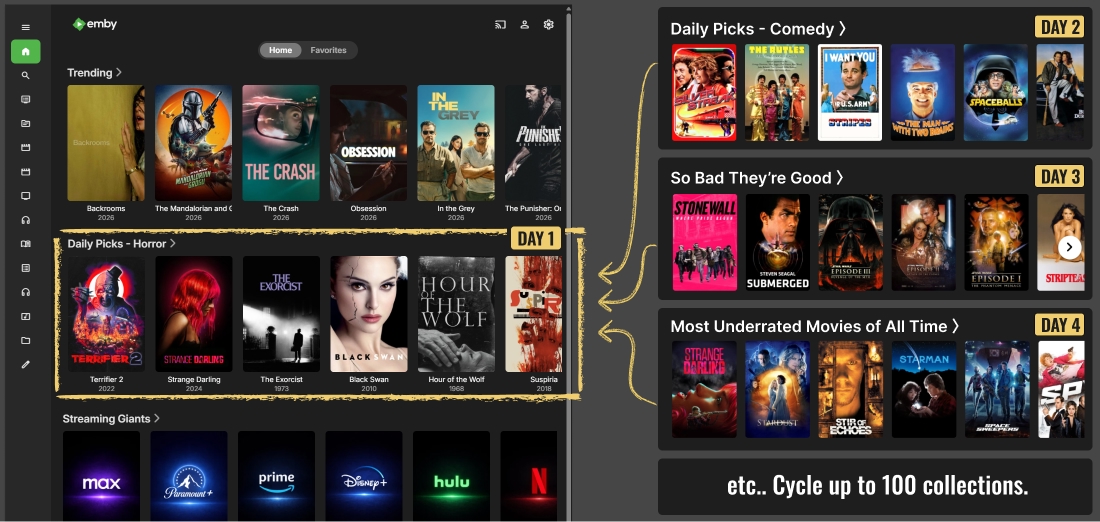
Dynamic Home Screen Customization
With the Emby Server 4.10.x update, you get powerful options to customize your home screen. Collection Programs help you cycle home screen content daily, so your media library always feels new and engaging.
What about Jellyfin?
The Jellyfin server and default clients do not allow you to add collections as a row on the home screen by default. However, there are clients out there that might support this. If you have found one that works and recommend it, please let me know.
How do I set up a Collection Program in Emby?
If you are new, check out Getting Started first. Any support role is required to use Collection Programs.
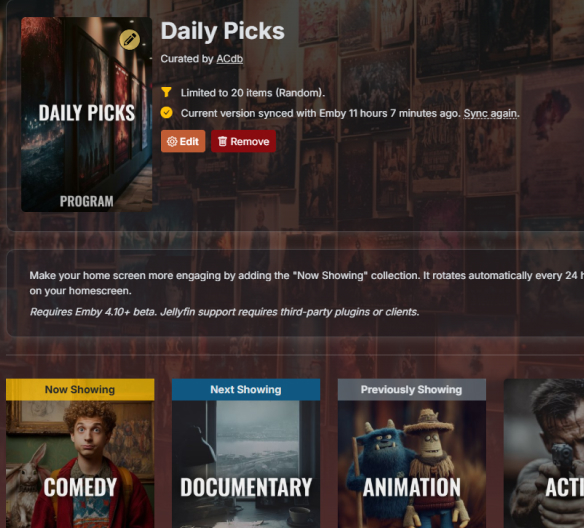
First, create or add a Collection Program. Make sure the Program contains collections.
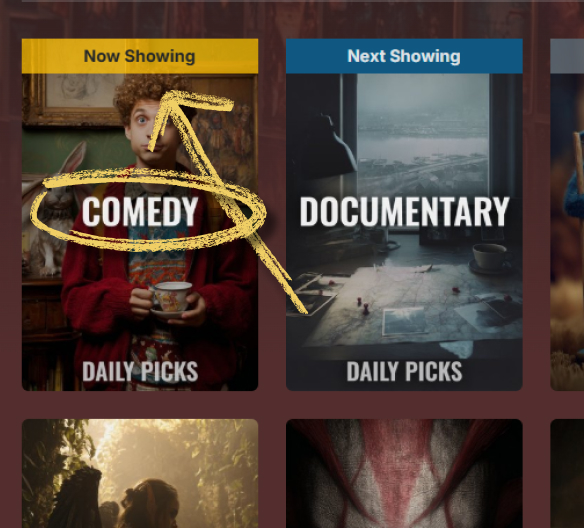
Note the "Now Playing" collection name, it will have a ✨ symbol in front of it. This is what you’ll add to your home screen.
In the ACdb.tv plugin in Emby
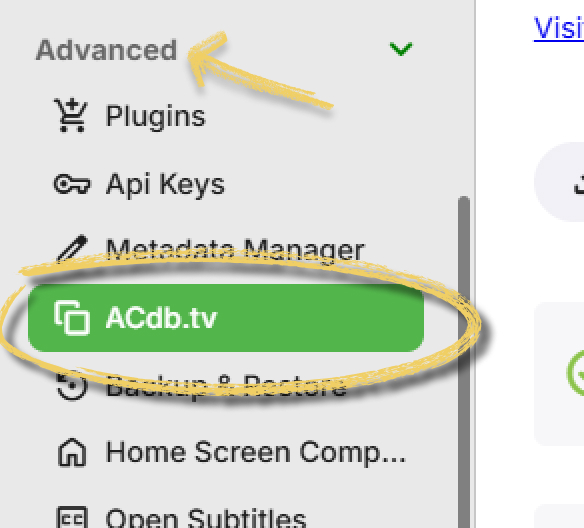
In Emby, start with making sure the Now Playing collection is synced. Go to Settings and find ACdb.tv plugin in the sidebar.
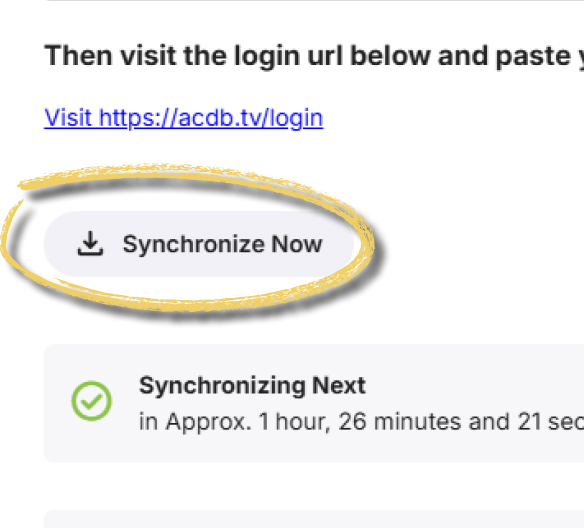
Click Synchronize Now and wait for it to finish.
Adding to home screen
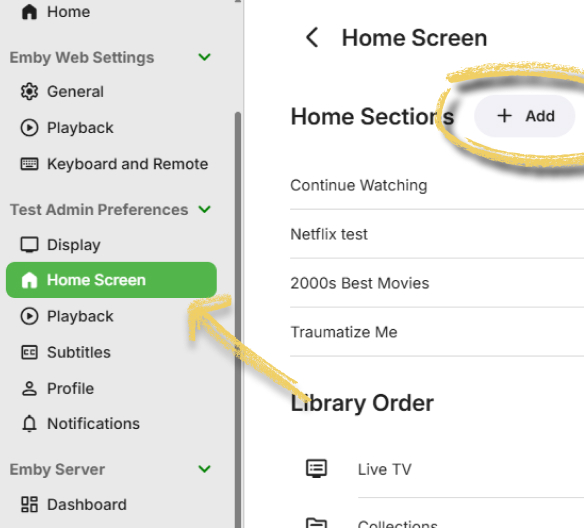
In Emby settings go to Home Screen under your user's preference and click Add.
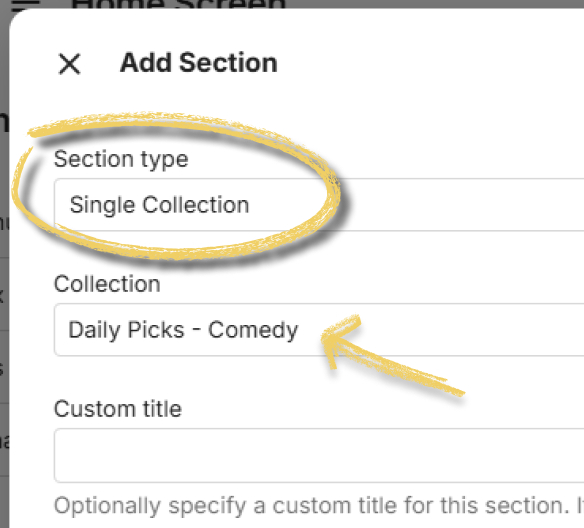
Select Single Collection and select the "Now Playing" collection name from your Collection Program. Do not set a Custom Title as that will override the dynamic title.
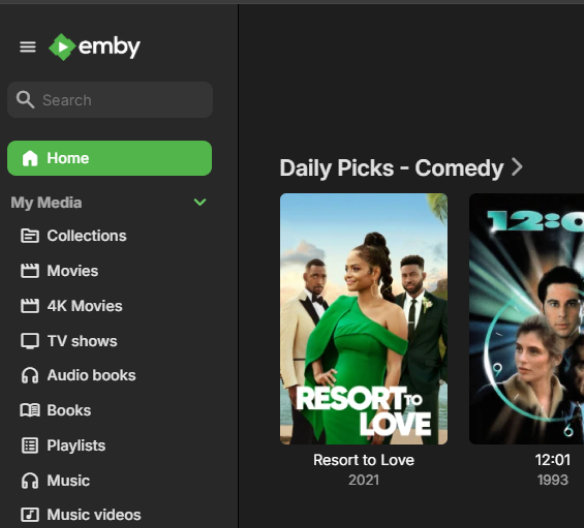
You should now have a dynamic collection on your home screen that changes based on the Collection Program!
Copying Home Screen settings to other users
Please note that copying home screen settings to other users will overwrite any personal configuration those users may have.
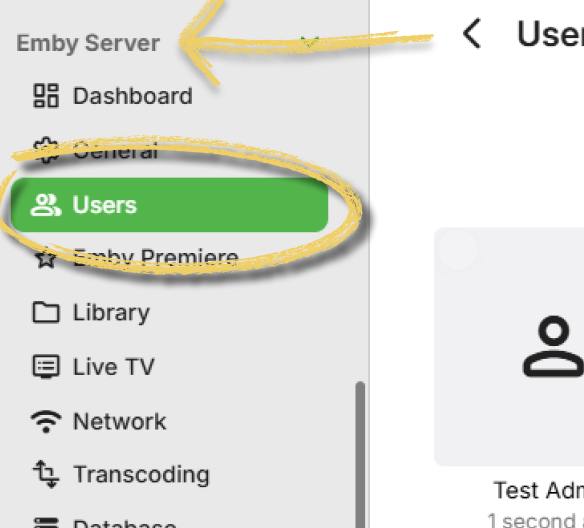
Open Users under Emby Settings.
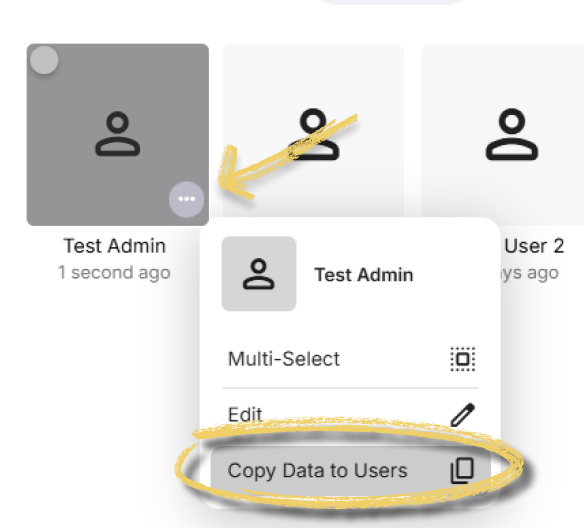
Find the source user you want to copy settings from. Click the three dots and select "Copy Data to Users".
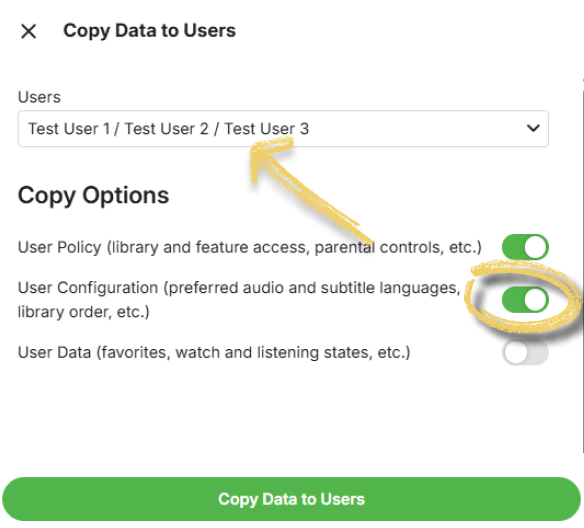
Select the users you want to copy settings to. Ensure "User Configuration" is checked, then click "Copy Data to Users".